How to Use the ERS and IO Plugins for Event Rentals
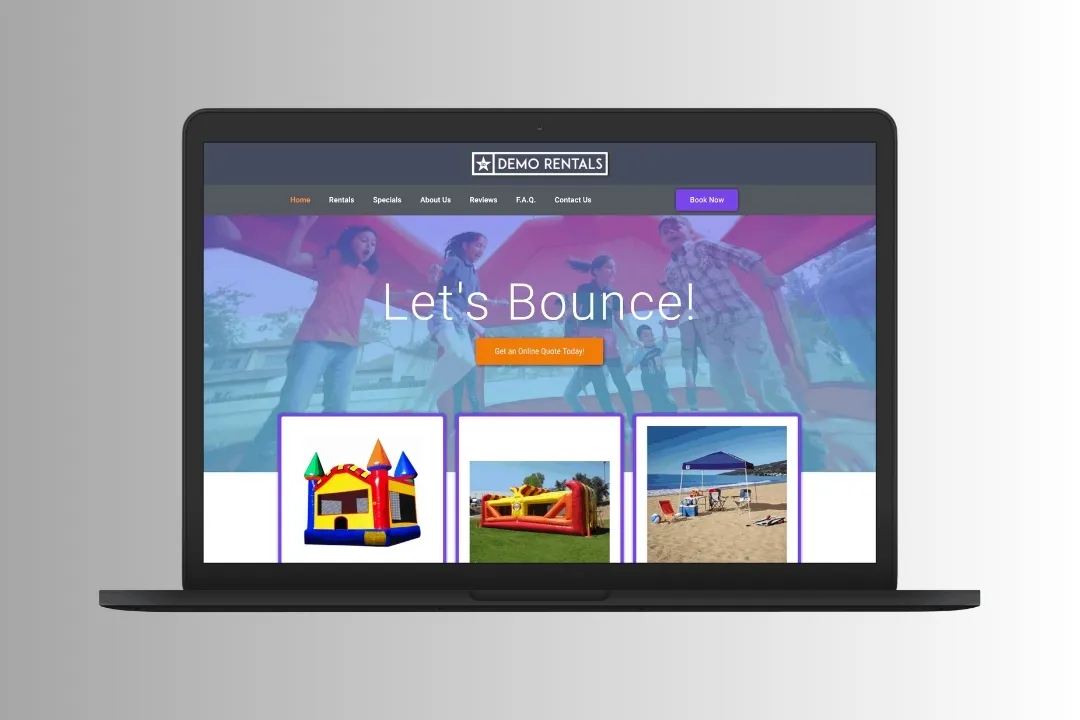
The event rental business runs on coordination between bookings, inventory, and customer management. The Event Rental System (ERS) and the Inflatable Office Plugin (IO) are built to simplify that work. Used together, they give you one system for running rental operations efficiently.
At WebbDesignz, we help businesses integrate and get the most out of these tools. This guide walks you through using ERS and IO together to streamline your event rental processes.
Why Use ERS and IO Plugins Together?
ERS and IO cover different ground, and that’s the point. ERS handles bookings, customer data, and operations, while IO adds advanced inventory tracking and communication tools. Together they give rental businesses a complete management solution.
Key Benefits of Using ERS and IO Together:
- Improved efficiency: Automate repetitive tasks like bookings and inventory checks.
- Better organization: Centralize customer data, inventory, and event schedules in one place.
- Better customer experience: Deliver faster service with fewer manual steps.
- Scalability: Support growth with features that adapt to rising demand.
Together, these plugins let you manage operations with more ease and accuracy.
Setting Up ERS and IO Plugins
Proper setup is what makes these plugins pay off. Follow these steps to get started:
Step 1: Install the Plugins
- Download the ERS and IO plugins from their respective sources.
- Install them on your website or management platform following the provided instructions.
Step 2: Configure Basic Settings
- Log in to each plugin’s dashboard.
- Enter your business details, such as name, address, and contact information.
- Set defaults like time zones, languages, and notification settings.
Step 3: Integrate the Plugins
- Connect ERS and IO so they can share data.
- Sync existing customer and inventory data between the two systems.
Step 4: Test the Integration
- Run a test booking or inventory update to confirm the plugins are talking to each other.
- Resolve any setup issues before going live.
We guide businesses through this setup to make sure the integration runs cleanly from day one.
Managing Bookings with ERS
The Event Rental System is a solid platform for handling bookings, from first inquiry to confirmation. Here’s how to use it well:
Step 1: Create Booking Categories
- Organize services into categories, such as weddings, corporate events, or parties.
- Assign unique identifiers for easier tracking.
Step 2: Automate Booking Processes
- Turn on automated booking confirmations and reminders.
- Let customers book online to cut manual effort.
Step 3: Customize Booking Forms
- Add fields for customer preferences, event details, and special requests.
- Use conditional logic to show relevant fields based on event type.
Step 4: Track Booking Status
- Monitor bookings in real time from the ERS dashboard.
- Update statuses (pending, confirmed, canceled) to keep records accurate.
Good booking management means a smoother customer experience and less administrative work.
Tracking Inventory with the IO Plugin
The Inflatable Office Plugin shines at inventory tracking, helping you manage availability and maintenance without the guesswork.
Step 1: Add Inventory Items
- List every rentable item in IO, including descriptions and photos.
- Specify details like quantity, condition, and rental rates.
Step 2: Monitor Availability
- Use the inventory calendar to check item availability for specific dates.
- Allocate equipment to events to avoid double-booking.
Step 3: Schedule Maintenance
- Record maintenance schedules and repair histories for each item.
- Set automated reminders for upcoming maintenance tasks.
Step 4: Generate Inventory Reports
- Analyze inventory usage, trends, and shortages with the reporting tools.
- Use those insights to guide purchasing and prevent stock issues.
We help businesses tune their inventory systems to prevent delays and keep equipment working.
Managing Customer Relationships
Both ERS and IO include features to strengthen customer relationships. Here’s how to get the most from them:
Step 1: Centralize Customer Data
- Sync customer information across ERS and IO.
- Include contact details, booking history, and preferences for a complete profile.
Step 2: Segment Customer Lists
- Group customers by event type, frequency, or location.
- Use those segments for targeted marketing campaigns.
Step 3: Automate Communication
- Send personalized emails for booking confirmations, updates, and thank-you notes.
- Schedule reminders for upcoming events or follow-ups.
Step 4: Analyze Customer Behavior
- Use the reporting tools to spot trends in customer preferences.
- Adjust services and marketing based on what the data shows.
Strong customer relationships build loyalty and drive repeat business.
Streamlining Operations with Automation
Automation is one of the biggest advantages of running ERS and IO. It cuts manual effort, reduces errors, and saves time.
Features to Automate:
- Bookings: Auto-confirmations, reminders, and updates.
- Inventory: Real-time availability checks and maintenance schedules.
- Reports: Automatic generation and sharing of operational insights.
Benefits of Automation:
- More accurate data handling.
- Faster response times for customer inquiries.
- Better staff productivity.
When routine tasks run themselves, you can focus on growing the business and improving the customer experience.
Generating Reports for Better Decisions
Both ERS and IO come with reporting tools that turn your day-to-day activity into useful insight.
Types of Reports:
- Customer reports:
- Booking trends.
- Repeat customer rates.
- Preferences and feedback.
- Inventory reports:
- Availability and usage.
- Maintenance histories.
- Stock shortages.
- Financial reports:
- Revenue and expenses.
- Profit margins by service type.
How to Use Reports:
- Pinpoint where operations and customer service can improve.
- Make data-informed decisions about inventory purchases and marketing.
We’re big believers in letting data drive growth rather than guesswork.
Best Practices for Using ERS and IO
To get the most out of these plugins, keep these practices in mind:
- Update data regularly:
- Keep customer and inventory records accurate and current.
- Run routine audits to clear out duplicate or outdated entries.
- Train your team:
- Give staff thorough training on both plugins.
- Encourage them to explore advanced features for greater efficiency.
- Lean on automation:
- Automate routine tasks to save time and cut errors.
- Put your energy into strategic work like marketing and customer engagement.
- Monitor performance:
- Use reports to evaluate how your operations are running.
- Adjust workflows and strategy based on what you learn.
Follow these habits and ERS and IO will deliver real value.
Final Thoughts
Together, ERS and IO give event rental businesses a powerful way to manage bookings, inventory, and customer relationships. Follow the steps in this guide and you can streamline operations, improve customer satisfaction, and grow.
If you want expert help setting up or optimizing these plugins, WebbDesignz is here for it. Our team builds solutions around your specific needs. Contact us today to transform your event rental management.