How to Manage Customer Lists in ERS for Event Rentals
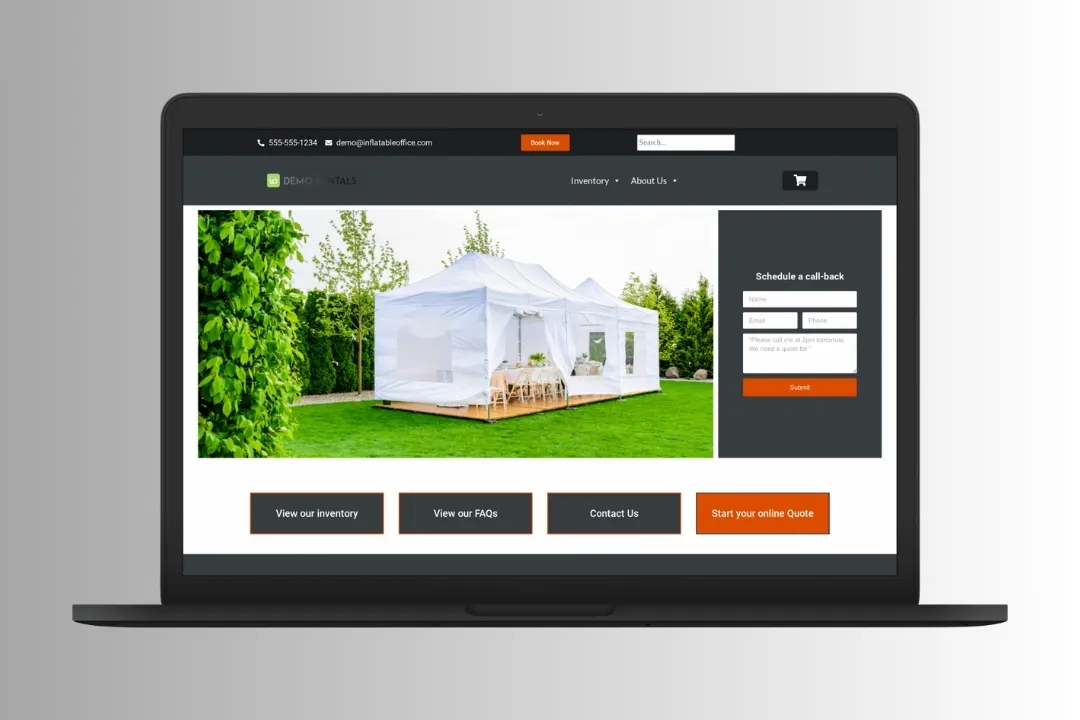
Managing customer data well matters for any business, and it’s especially true in event rentals. Accurate, accessible customer lists streamline operations, sharpen marketing, and improve service. The Event Rental System (ERS) is built to make that easier.
At WebbDesignz, we help event rental businesses optimize their workflows with tools like ERS. This guide walks you through extracting and managing customer lists efficiently.
Why Managing Customer Lists Matters for Event Rental Businesses
A customer list is more than contact details; it’s a store of valuable data. Manage it well and you get smoother operations and a clearer path to growth.
Benefits of Managing Customer Lists:
- Better communication: Reach customers with updates, promotions, and reminders.
- Targeted marketing: Segment lists for personalized campaigns.
- Better customer service: Pull up complete customer histories for faster issue resolution.
- Streamlined operations: Keep bookings, payments, and preferences in one place.
With ERS, you can turn raw data into decisions you can act on.

Understanding ERS and Its Features
The Event Rental System (ERS) is a content management system built for event rental companies. It manages bookings, inventory, and customer data in one place.
Key Features of ERS:
- Customer management: Store and organize customer details, including booking history.
- Data extraction: Export customer lists for marketing or analysis.
- Reporting tools: Generate insight into customer behavior and trends.
ERS centralizes your operations, which saves time and resources.
How to Extract Customer Lists Using ERS
Extracting customer lists in ERS is straightforward. Follow these steps to access and organize your data:
Step 1: Log In to Your ERS Account
- Go to your ERS dashboard and sign in with your credentials.
- Make sure you have admin access to use the customer data features.
Step 2: Navigate to the Customer Management Section
- Find the “Customers” or “Customer Management” tab in the dashboard menu.
- This section holds all stored customer data, including contact details and booking history.
Step 3: Use Filters to Narrow Your Search
- Apply filters to sort customers by specific criteria, such as:
- Booking dates.
- Event types.
- Payment status.
- Filtering helps you target specific segments for campaigns or reports.
Step 4: Select Customers for Extraction
- Choose the customers to include by selecting individual entries or using “Select All.”
- Double-check the selected entries for accuracy.
Step 5: Export the Data
- Click the “Export” button or its equivalent in the interface.
- Choose a file format (CSV, Excel) that works with your other tools.
- Save the file to your computer.
We recommend exporting your data regularly to keep records current and secure.
Organizing and Managing Customer Lists
Once you’ve extracted your lists, organizing them is what makes the data useful. Here’s how to manage them:
1. Categorize Customers
- Group customers by:
- Event type (weddings, corporate events).
- Booking frequency (one-time, repeat).
- Payment history (completed, pending).
2. Update Information Regularly
- Review and update customer details periodically for accuracy.
- Remove outdated entries or merge duplicates.
3. Segment for Marketing Campaigns
- Split lists into segments for targeted outreach:
- Send exclusive offers to loyal customers.
- Promote specific services to the groups most likely to want them.
4. Integrate with CRM Tools
- Import the list into a CRM tool for deeper analysis.
- Use email marketing software for automated campaigns.
Managed well, your customer list becomes a strategic asset.

Leveraging Customer Data for Marketing and Growth
Extracted customer lists are good for more than record-keeping. They can drive campaigns, improve the customer experience, and fuel growth.
Using Customer Lists for Marketing:
- Email campaigns: Send personalized emails with special offers or updates.
- Loyalty programs: Reward repeat customers with exclusive deals or discounts.
- Event reminders: Notify customers about upcoming bookings or events.
Analyzing Customer Behavior:
- Use ERS reporting tools to spot trends in customer preferences.
- Adjust your services and inventory around demand patterns.
We help businesses build practical strategies from customer data to get more out of every dollar.
Tips for Maintaining Customer Data Security
Customer data is sensitive and needs careful handling. Protecting it builds trust and keeps you compliant with data protection laws.
Best Practices for Data Security:
- Limit access:
- Restrict database access to authorized staff only.
- Assign roles to prevent unauthorized changes.
- Encrypt data:
- Use encryption to secure stored and transmitted data.
- Update passwords and security protocols regularly.
- Back up regularly:
- Save copies of your data to prevent loss during technical failures.
- Use cloud storage for reliable backups.
- Comply with regulations:
- Meet data protection laws like GDPR and CCPA.
- Tell customers how their data is used and stored.
We take data security seriously and help businesses put strong measures in place.
Troubleshooting Common Issues with ERS
ERS is user-friendly, but issues come up now and then. Here’s how to handle the common ones:
Problem: Difficulty Exporting Data
- Confirm your admin permissions allow data export.
- Check for software updates that might fix export bugs.
Problem: Inaccurate Data
- Review entries for errors before exporting.
- Use automated tools to flag duplicates or incomplete data.
Problem: File Format Issues
- Choose a universal format like CSV for compatibility.
- Use spreadsheet tools to reformat data if needed.
We offer support to resolve these issues and get the most out of ERS.
Final Thoughts
Managing customer lists is central to a successful event rental business. The Event Rental System gives you the tools to extract, organize, and use customer data effectively. Follow the steps and tips here and you can streamline operations, improve satisfaction, and grow.
If you want expert help with ERS or other event rental tools, WebbDesignz is here for it. Our team specializes in optimizing digital workflows and improving business efficiency. Contact us today to take your event rental business further.